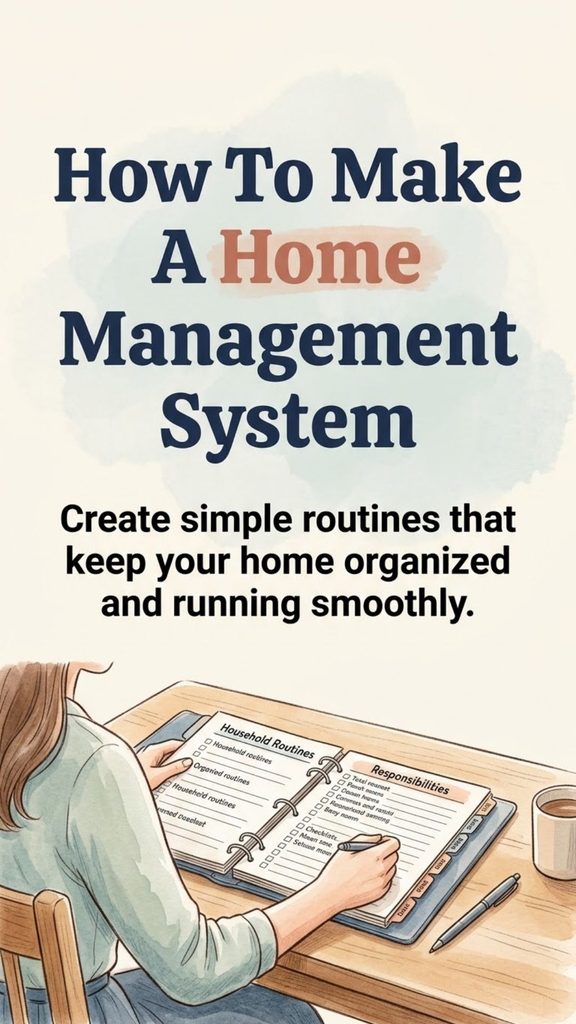
A home can feel surprisingly difficult to manage when everything lives in your head. Groceries need buying, laundry needs doing, bills have due dates, appointments are scattered across different calendars, and small maintenance jobs keep appearing. None of these tasks is especially complicated on its own, but together they can create a constant sense of unfinished work.
A home management system gives those responsibilities a place to live.
The goal is not to schedule every minute or turn your household into a rigid operation. A useful system simply organizes recurring responsibilities so you know what needs attention, when it needs attention, and who is responsible for it.
You Might Also Like:
- Loading posts...
Done well, it reduces repeated decision-making and makes everyday household work much easier to manage.
What Is a Home Management System?
A home management system is a collection of routines, schedules, lists, records, and reminders used to organize the practical side of running a household.
It might include:
- cleaning routines
- meal planning
- grocery lists
- household finances
- family schedules
- maintenance reminders
- important household information
- recurring errands
- personal routines
- seasonal tasks
Some people keep everything in a physical binder. Others rely almost entirely on digital calendars and apps. Many households use a combination of both.
There is no single correct setup. The best system is the one you can maintain without creating more work than it saves.
Start With the Areas That Cause the Most Friction
One of the easiest mistakes is building an elaborate home-management binder or digital dashboard before deciding what problems it actually needs to solve.
Start by looking at your household as it operates now.
Where do things regularly fall through the cracks?
Maybe dinner decisions happen at 5:30 every evening. Perhaps laundry piles up until the weekend. Bills are getting paid on time, but only because you keep remembering them at the last minute. Home repairs may be written on scraps of paper that disappear.
Write down the main areas you want to manage.
Common categories include:
- Cleaning and household chores
- Meals and groceries
- Bills and budgeting
- Family scheduling
- Home maintenance
- Shopping and household supplies
- Health appointments
- School or work responsibilities
- Important documents and information
You do not have to build every section immediately.
If meal planning and cleaning are your biggest sources of stress, begin there. A simple system that solves two real problems is more useful than an impressive system containing twenty sections you never open.
Choose One Main Home for Your System
Information becomes difficult to manage when it is spread across five notebooks, several apps, sticky notes, text messages, and your memory.
Choose a main place where household information will live.
A Home Management Binder
A physical binder works well for people who prefer handwriting and printed checklists.
You might divide it into sections for:
- calendars
- cleaning schedules
- meal plans
- budgets
- maintenance
- household contacts
- inventories
- seasonal checklists
Use removable pages rather than creating something too permanent. Household routines change, and the system should be easy to adjust.
A Digital System
Digital tools are useful for reminders, shared schedules, and information that changes frequently.
A simple combination might be:
- a shared calendar for appointments
- a notes app for lists
- a spreadsheet for budgeting
- recurring phone reminders for maintenance
You do not need a complicated productivity platform unless you genuinely enjoy using one.
A Hybrid System
For many households, a hybrid approach is the most practical.
You might keep a visible wall calendar for family events, use your phone for reminders, and maintain a binder for information that does not change often.
The important principle is simple: know where each type of information belongs.
Create a Realistic Cleaning Routine
Cleaning becomes much easier when you stop treating the entire house as one enormous task.
Divide household work according to how often it actually needs attention.
Daily Tasks
Daily routines should focus mainly on preventing clutter and mess from accumulating.
Depending on your household, these might include:
- wash or load dishes
- wipe kitchen counters
- clear the dining table
- put obvious clutter away
- make beds
- sweep high-traffic areas
- complete one load of laundry when necessary
Keep the list short. A daily routine containing fifteen or twenty tasks will quickly become another burden.
Weekly Cleaning
Weekly work can cover the larger jobs that do not need daily attention.
For example:
- vacuum or sweep floors
- mop where needed
- clean bathrooms
- change bedding
- dust furniture
- empty bins
- clean mirrors
- catch up on laundry
Rather than doing everything on one exhausting cleaning day, you can divide the work throughout the week.
Monday might be bathrooms, Tuesday could be bedrooms, and Wednesday might be floors.
Another household may prefer doing most cleaning on Saturday.
Either approach works if it fits your schedule.
Monthly and Seasonal Jobs
Some tasks are easy to forget because they happen infrequently.
A recurring checklist can include jobs such as:
- cleaning the refrigerator
- wiping baseboards
- washing washable curtains
- cleaning under furniture
- decluttering storage areas
- changing or cleaning appropriate filters
- checking household supplies
- washing windows
- rotating seasonal items
Do not assign arbitrary frequencies to everything. A home with pets, children, allergies, or heavy foot traffic may need certain tasks more often than a quieter household.
Build a Simple Meal-Planning System
Food management takes up a surprising amount of household time because it involves planning, shopping, cooking, storing, and cleaning.
A good meal system reduces how often you have to answer the question, “What are we eating tonight?”
Start with a weekly meal plan.
You do not necessarily need seven detailed dinners. Some households prefer planning five main meals and leaving room for leftovers, takeout, or unexpected changes.
Keep a short list of dependable meals that require little planning.
Examples might include:
- pasta with vegetables
- soup and sandwiches
- eggs with potatoes or toast
- tacos or wraps
- rice bowls
- freezer meals
- roasted chicken with simple sides
These fallback meals are useful when plans change.
Keep One Running Grocery List
Do not wait until shopping day to remember everything you need.
Keep one grocery list in an easily accessible location.
Add an item as soon as you notice it is running low.
Organizing the list into categories such as produce, dairy, pantry, frozen foods, and household supplies can make shopping quicker.
Check What You Already Own
Before writing the week’s menu, look through the refrigerator, freezer, and pantry.
Plan meals around ingredients that need using first.
This is one of the simplest ways to reduce forgotten food and unnecessary duplicate purchases.
Organize Household Finances Around Dates
Household finances do not need to be complicated to benefit from a system.
At minimum, keep track of:
- regular income
- recurring bills
- bill due dates
- variable household expenses
- savings contributions
- debt payments, if applicable
- annual or irregular expenses
A monthly bill calendar can prevent important payments from disappearing among everyday tasks.
Recurring expenses might include:
- housing
- utilities
- insurance
- internet
- phone service
- subscriptions
- loan payments
- school or childcare costs
Automatic payments can be convenient, but they should still be reviewed. An automatic charge can increase, continue after you stop using a service, or fail because of a payment problem.
Create a short monthly financial review rather than assuming automation means you never need to look at the accounts.
During that review, check upcoming bills, unusual transactions, savings goals, and larger expenses expected during the next month.
Create One Household Calendar
Families often struggle less with having too many commitments than with having those commitments stored in different places.
A central household calendar can include:
- work schedules
- school dates
- appointments
- extracurricular activities
- birthdays
- travel
- social events
- deadlines
- maintenance appointments
- bill reminders
For a household with several people, a shared digital calendar can be especially useful because updates appear automatically for everyone who has access.
A wall calendar may still be helpful as a quick visual reference.
The system does not need to choose between digital and physical. It simply needs to prevent two people from assuming the other one remembered the appointment.
Give Household Responsibilities Clear Owners
A task is more likely to be forgotten when everybody assumes somebody else will handle it.
Instead of keeping a general list labeled “house chores,” assign responsibility where appropriate.
One person might handle recycling. Another might manage pet care. Older children may be responsible for certain age-appropriate household tasks.
The goal is not necessarily to divide every task perfectly evenly. Work schedules, age, ability, and household circumstances vary.
What matters is clarity.
“Someone needs to clean the bathroom” creates uncertainty.
“Bathroom cleaning is done Saturday morning” creates a system.
Track Home Maintenance Before It Becomes Urgent
Home maintenance is one of the easiest categories to neglect because many tasks occur only a few times a year.
Create a maintenance calendar based on your actual home, appliances, climate, and manufacturer recommendations.
Possible reminders include:
- test smoke and carbon-monoxide alarms
- replace batteries when needed
- clean dryer lint areas
- inspect plumbing for leaks
- service heating or cooling equipment as recommended
- clean gutters where applicable
- check caulking around wet areas
- inspect exterior doors and windows
- clean appliance filters
- review fire extinguishers
- schedule necessary professional servicing
Avoid using a generic internet checklist as though every task applies to every house. Equipment and maintenance schedules vary.
For appliances, heating systems, water heaters, filters, and similar equipment, follow the manufacturer’s instructions whenever possible.
Keep a Repair Log
A simple home repair record can save trouble later.
Record:
- what was repaired
- when it was repaired
- who completed the work
- how much it cost
- warranty information
- relevant model or part numbers
This becomes especially useful when the same appliance develops another problem several years later.
Keep Important Household Information Together
There are certain details you should not have to search for during an emergency or urgent repair.
Create a household information section containing appropriate records such as:
- emergency contacts
- utility contact information
- appliance model numbers
- service-provider information
- insurance contact details
- school contacts
- veterinarian details
- home repair professionals
Sensitive documents such as passwords, bank information, medical records, identity documents, or financial account numbers require proper security. Do not leave them exposed in an easily accessible household binder simply for convenience.
The management system should help you locate information without making private information less secure.
Create Morning and Evening Reset Routines
Routines are useful because they remove the need to decide repeatedly when small household tasks will happen.
An effective morning routine might include:
- make beds
- unload the dishwasher
- check the day’s calendar
- start one necessary household task
- prepare anything needed for school or work
An evening reset could include:
- load the dishwasher
- clear kitchen counters
- put living areas back in order
- check tomorrow’s schedule
- prepare clothes or bags
- add needed items to the shopping list
These routines do not need to take an hour.
Even ten or fifteen focused minutes can prevent a surprising amount of household disorder.
Add a Weekly Household Reset
A weekly reset creates a natural point for catching things before they become problems.
Choose a day that fits your schedule.
During the reset, you might:
- Review the upcoming calendar.
- Plan meals.
- Check groceries and household supplies.
- Finish outstanding laundry.
- Review bills or upcoming expenses.
- Tidy high-clutter areas.
- Check unfinished household tasks.
- Decide what requires attention during the coming week.
The point is not to complete every household job during the reset. It is to regain a clear picture of what is happening.
Manage Household Supplies With Minimum Levels
Running out of toilet paper, dish soap, laundry detergent, or another everyday essential is often preventable.
Choose a minimum level for frequently used supplies.
For example, rather than waiting until the final roll of toilet paper is opened, add it to the grocery list when your supply falls below a predetermined amount.
This works especially well for:
- paper products
- cleaning supplies
- toiletries
- laundry products
- pantry basics
- pet supplies
Avoid turning this into excessive stockpiling. The goal is simply to create enough notice that you can replace an item during your normal shopping routine.
Keep the System Easy to Maintain
A home management system can fail because it becomes a hobby instead of a tool.
You can spend hours designing beautiful printable pages, color-coded dashboards, elaborate trackers, and detailed schedules. None of that matters if the system requires so much maintenance that you stop using it.
Start small.
You may only need:
- one calendar
- one weekly cleaning list
- one grocery list
- one meal plan
- one bill schedule
- one maintenance checklist
Use those consistently before adding anything else.
A system should reduce mental load, not create another category of work.
Review and Adjust It Regularly
Your household changes.
Work schedules change. Children grow older. Seasons shift. New appliances appear. Some routines become unnecessary while new responsibilities emerge.
Every few months, look at your system and ask:
- Which parts do we actually use?
- What keeps being forgotten?
- Which tasks are scheduled too often?
- Which tasks are not scheduled often enough?
- Are responsibilities clear?
- Is information stored in the right place?
- Are we tracking things we no longer need?
Remove sections that create work without providing value.
A simple system that evolves with your household will usually last longer than a rigid one built around an ideal version of daily life.
Common Home Management Mistakes
Several problems appear repeatedly when people try to organize household responsibilities.
Trying to Organize Everything at Once
Start with the problems that affect you most. Build gradually.
Making the Schedule Too Ambitious
If your weekday cleaning routine requires two hours every evening, the system is probably unrealistic.
Keeping Too Many Lists
Multiple shopping lists, calendars, and task systems create confusion. Consolidate wherever possible.
Scheduling Every Task at the Same Frequency
Not every floor needs mopping every day. Not every room needs deep cleaning every week. Base your schedule on actual need.
Doing Everything Yourself
In a shared household, responsibilities should be discussed and distributed appropriately rather than silently managed by one person whenever possible.
Refusing to Change the System
A routine that worked last year may not work now. Adjusting the system is part of maintaining it.
A Simple Home Management System You Can Start This Week
You do not need to build the perfect household system before you can benefit from one.
Start with five basic components:
- A shared calendar for appointments and commitments.
- A weekly meal plan with a running grocery list.
- A realistic cleaning schedule divided into daily, weekly, and occasional tasks.
- A bill and budgeting routine with clear due dates.
- A home maintenance list for tasks that are easy to forget.
Then add routines only where you continue to experience problems.
The real advantage of a home management system is not having a prettier planner or a perfectly organized binder. It is knowing that important household responsibilities have a reliable place in your routine instead of competing for space in your memory.
A well-designed system makes the home easier to run because fewer things depend on remembering them at exactly the right moment. Keep it simple, make responsibilities visible, review it regularly, and allow the system to change as your household does.