A home can generate an amazing amount of information.
Appointments, school dates, grocery lists, meal ideas, bills, cleaning routines, maintenance reminders, birthdays, projects, medical details, and dozens of small tasks all compete for attention.
Trying to keep everything in your head is exhausting.
You Might Also Like:
- Loading posts...
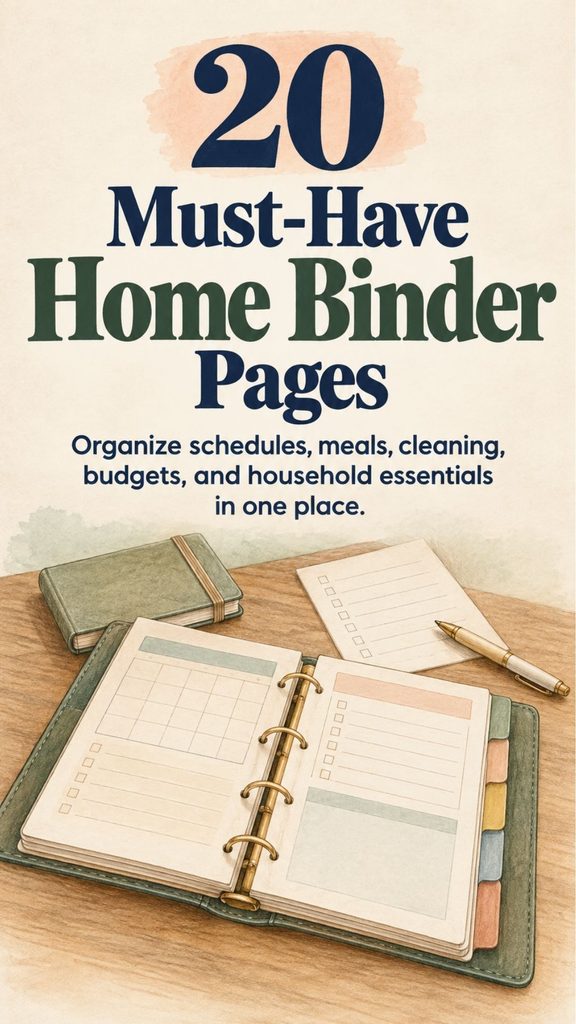
A home management binder gives those details a permanent place to live.
It does not need to be elaborate or beautifully decorated. The most useful binder is simply one you can open quickly, understand immediately, and update without turning organization into another full-time job.
Think of it as a practical household reference book.
Some pages will be used every day. Others may only be checked once a month or a few times a year. Together, they create a simple system for managing the moving parts of home life.
Here are 20 pages worth including.
1. Daily Schedule Page
A daily schedule is helpful when several responsibilities need to fit into the same day.
Create time blocks for:
morning routines,
appointments,
school or work,
meals,
household tasks,
errands,
and evening responsibilities.
Do not fill every hour.
Leave breathing room for delays and unexpected tasks.
Add a small Top Three Priorities section at the top of the page. If the day becomes chaotic, those three items tell you what matters most.
The goal is not to control every minute.
It is to prevent important tasks from disappearing beneath less important ones.
2. Weekly Planner Page
The weekly planner gives you a wider view than the daily schedule.
Use one section for each day of the week and include only the main commitments.
For example:
Monday — laundry and grocery shopping
Tuesday — dentist appointment
Wednesday — clean bathrooms
Thursday — children’s activities
Friday — meal prep
Saturday — garden work
Sunday — weekly reset
You can also note dinners, errands, and cleaning tasks.
A weekly page is particularly useful for spotting overloaded days before they happen.
3. Monthly Calendar Page
A monthly calendar is where long-term commitments become visible.
Record:
appointments,
birthdays,
school events,
bill due dates,
holidays,
travel,
renewals,
and recurring commitments.
Keep the system easy to read.
You can use different symbols or colors for categories if that genuinely helps, but do not make color coding so complicated that updating the calendar becomes a chore.
Review the next month before the current one ends.
That small habit can prevent many last-minute surprises.
4. Meal Planning Page
Meal planning does not require seven elaborate dinners every week.
A useful page simply answers one question:
What are we eating?
Create spaces for breakfast, lunch, and dinner if you need that level of planning, or focus only on dinner.
Include a place to note ingredients that need using soon.
A realistic week might contain:
a pasta night,
a soup or casserole,
a simple chicken meal,
leftovers,
a freezer meal,
and one flexible night.
Planning a leftovers night can reduce food waste and give the cook a break.
Your meal plan should make life easier, not create another standard to meet.
5. Grocery List Page
Keep a reusable master grocery list divided into categories.
For example:
Produce
Meat and protein
Dairy
Pantry
Frozen foods
Household
Personal care
This makes shopping faster because you are less likely to walk back and forth through the store.
A second page can list household staples you regularly replace.
Before shopping, check the refrigerator, freezer, and pantry so the list reflects what you actually need.
That one step can prevent duplicate purchases.
6. Cleaning Schedule Page
Instead of keeping every cleaning task in one overwhelming list, divide them by frequency.
Daily tasks might include dishes, kitchen surfaces, and a quick tidy.
Weekly tasks might include bathrooms, vacuuming, mopping, and changing bedding.
Monthly or seasonal tasks might include cleaning windows, washing curtains, wiping baseboards, or cleaning behind appliances.
Do not assume every household needs the same schedule.
A home with young children and pets may need floors cleaned more frequently than a quiet household of two adults.
Build the schedule around your home.
7. Laundry Routine Page
Laundry becomes easier when it has a predictable rhythm.
Record which days you normally wash:
everyday clothes,
towels,
bedding,
delicates,
and household linens.
Include special-care reminders for clothing that is easy to damage.
A small guide to care-label symbols can also be useful.
If you repeatedly forget loads in the washing machine, add a reminder to the routine for transferring and putting away clothes.
Laundry is not finished when the dryer stops.
It is finished when the clothes are back where they belong.
8. Household Budget Page
The budget page should show what money is coming in and where it is expected to go.
Include:
income,
housing,
utilities,
groceries,
transportation,
insurance,
debt payments,
savings,
and flexible spending.
Use realistic numbers based on previous spending rather than idealized amounts.
You can also include sections for sinking funds such as:
car repairs,
Christmas,
home maintenance,
school expenses,
or annual insurance.
A budget is most useful when it helps you make decisions before money disappears.
9. Bill Payment Checklist
Keep recurring bills on one page with:
bill name,
usual due date,
expected amount,
payment method,
and a checkbox for completion.
Clearly mark which bills are on automatic payment.
If an amount changes frequently, leave space to write the actual amount each month.
Review automatic payments too.
Automatic does not mean forgotten.
Subscriptions and service charges can continue for years simply because nobody checks them.
10. Debt Repayment Tracker
If your household is repaying debt, create a separate page for it.
List each account with:
current balance,
interest rate,
minimum payment,
planned additional payment,
and progress.
A simple visual bar can make progress easier to see.
Update balances periodically rather than obsessively checking them every day.
The purpose is to maintain direction.
If you are comparing payoff strategies or dealing with significant financial difficulty, the binder can organize the information, but major financial decisions may warrant professional guidance.
11. Emergency Contacts Page
Everyone in the household should know where to find essential phone numbers.
Include contacts such as:
local emergency services,
primary doctors,
children’s schools,
veterinarian,
trusted relatives,
trusted neighbors,
utility emergency lines,
and important service providers.
Keep this information easy to access.
For sensitive account details, do not write more information than is necessary.
A phone number and provider name may be enough in many cases.
If children or babysitters may use the page, make it especially clear and simple.
12. Family Medical Information Page
A household binder can be useful for basic medical reference information.
You might keep one page per family member containing:
allergies,
current medications,
important conditions,
doctor contact information,
insurance provider,
and emergency considerations.
Because medical information is private, store this section securely.
Do not leave a binder containing sensitive health details somewhere visitors or casual household workers can easily access it.
For complete records, use the secure systems provided by your medical providers rather than trying to turn a household binder into a full medical archive.
13. Home Maintenance Schedule
A home needs maintenance long before something breaks.
Create a calendar for recurring jobs such as:
HVAC filter changes,
smoke and carbon-monoxide alarm checks,
gutter cleaning,
appliance maintenance,
seasonal yard work,
weatherproofing,
pest inspection,
and plumbing checks.
Follow manufacturer instructions for equipment rather than assigning arbitrary dates.
Some filters need changing frequently.
Others last considerably longer.
Include the date each task was completed so you are not relying on memory six months later.
14. Digital Security and Account Reference Page
A paper binder is not a good place to store a list of full passwords.
If someone gains access to the binder, they could potentially gain access to multiple accounts at once.
Use a reputable password manager for actual passwords and unique logins.
The binder can instead contain safe reference information such as:
which password manager the household uses,
where important digital records are stored,
provider support numbers,
account recovery instructions,
and who should be contacted if access is needed during an emergency.
Never write master passwords, banking PINs, security-question answers, or one-time recovery codes in an easily accessible household binder.
Organization should not create a security risk.
15. Family Chore Chart
If several people share the home, responsibilities should not have to be rediscovered every morning.
Create a simple page showing:
the task,
who is responsible,
how often it needs doing,
and when responsibilities rotate.
Tasks might include:
loading the dishwasher,
taking rubbish out,
feeding pets,
folding laundry,
vacuuming,
or helping with meal cleanup.
Choose age-appropriate responsibilities for children.
A chore chart works best when it is easy enough that everyone understands it without needing another explanation.
16. Important Documents Index
Do not stuff irreplaceable documents loosely into the binder.
Instead, make an index that tells you where important records are securely stored.
Examples include:
passports,
birth certificates,
marriage certificates,
property records,
insurance documents,
vehicle records,
wills,
and tax files.
Your index might say:
Passports — locked document box
Vehicle title — home safe
Insurance policies — secure digital folder
This provides the convenience of an organized reference without exposing valuable documents every time the binder is opened.
17. Birthdays and Important Dates Page
Create one yearly reference page for events that repeat.
Include:
birthdays,
anniversaries,
family traditions,
school milestones,
annual renewals,
and other important dates.
You can add a small column for:
gift ideas,
cards,
travel arrangements,
or event planning.
Review the following month’s dates near the end of each month.
That is much easier than remembering a birthday three days after it happened.
18. Seasonal Planning Page
Each season brings its own household work.
Create a section for:
spring,
summer,
autumn,
and winter.
Depending on your climate and lifestyle, seasonal plans might include:
garden planting,
winterizing,
holiday preparation,
changing clothing storage,
outdoor furniture,
school preparation,
freezer stocking,
or seasonal decorating.
If you celebrate holidays, include menus, guest lists, gift ideas, and tasks far enough ahead that everything does not land in the same week.
Seasonal planning is especially helpful because these tasks are easy to forget until they suddenly become urgent.
19. Home Projects Page
Every house seems to develop a list of unfinished projects.
Instead of keeping those ideas scattered through notebooks and phones, give them one section.
For each project, record:
the goal,
estimated budget,
materials needed,
measurements,
next action,
and completion date.
Break large projects into actual steps.
For example:
Paint bedroom
- Measure room
- Choose paint
- Buy supplies
- Move furniture
- Prepare walls
- Paint
- Replace furniture
The phrase “paint bedroom” feels large.
“Measure room” is something you can do tonight.
20. Personal Goals and Routines Page
A home management binder should not suggest that your entire identity is cleaning, cooking, and paying bills.
Include a page for yourself.
You might track:
books you want to read,
fitness goals,
creative projects,
gardening plans,
skills you want to learn,
personal routines,
or activities that help you rest.
Keep this page flexible.
The goal is not to convert every hobby into another checklist.
It is simply a reminder that caring for a home also includes making room for the people who live there.
Don’t Put Everything in the Binder
A good household binder is selective.
Avoid filling it with information that is:
rarely needed,
better stored securely elsewhere,
constantly changing,
or easily available digitally.
You probably do not need fifty pages of printables simply because a home binder template offers them.
Every additional page creates something else to update.
Start small.
Add a page only when it solves an actual problem.
Protect Sensitive Information
A home management binder can contain more private information than it first appears.
Budgets reveal financial details.
Medical pages contain health information.
Contact pages reveal personal information.
Document indexes tell someone where valuable papers are stored.
Keep the binder somewhere reasonably secure.
If visitors, cleaners, contractors, babysitters, or others regularly enter the home, consider separating highly sensitive pages into a private section or storing them elsewhere.
Convenience and privacy should work together.
Use Dividers to Keep It Practical
A simple divider system makes the binder faster to use.
You might create sections such as:
Planning
Meals
Cleaning
Money
Family
Home
Seasonal
Projects
That is usually enough.
If you need fifteen dividers to find anything, the binder may be becoming more complicated than the home itself.
Review It Once a Week
A binder only works when it remains current.
Choose one short weekly check-in.
During that time:
look at the upcoming calendar,
check meals,
update the grocery list,
review important bills,
note home maintenance,
and move unfinished tasks forward.
This does not need to take an hour.
Ten or fifteen focused minutes can keep the entire system useful.
Keep a Small Inbox for Papers
One reason household paperwork becomes messy is that every document arrives at a different time.
Create one temporary inbox near the binder.
Incoming school papers, bills, receipts requiring action, appointment information, and forms can go there.
During your weekly review, process the pile.
File what needs keeping.
Act on what needs action.
Recycle or shred what you no longer need.
The inbox should be a temporary landing place, not permanent storage.
Your Binder Should Reduce Work, Not Create It
It is easy to turn home organization into a hobby of designing systems instead of using them.
You do not need:
perfect handwriting,
matching printable pages,
expensive dividers,
a coordinated color palette,
or a beautifully decorated binder.
A plain binder full of useful information is more valuable than a gorgeous one you are afraid to write in.
The real test is simple:
Does it help you remember things?
Does it make planning easier?
Can another household member understand it?
Does it reduce the number of details you are carrying around in your head?
If yes, it is working.
A Home Management Binder Is Your Household Manual
A good home management binder creates one dependable place for information that would otherwise be scattered across calendars, scraps of paper, phone notes, drawers, and memory.
You can see what is happening this week.
You know what is for dinner.
You know which bill is due.
You remember when the furnace filter was changed.
You can find the contact number you need.
You know where important documents are stored.
And you have a place for the home projects you keep meaning to finish.
You do not need all 20 pages on your first day.
Start with the sections causing the most mental clutter.
For many households, that might be the weekly planner, meal plan, grocery list, cleaning routine, budget, and bill checklist.
Once those pages are genuinely helping, add others as needed.
The point is not to create the perfect binder.
It is to create a simple household system that helps everyday life run with fewer forgotten tasks, fewer last-minute surprises, and a little less mental clutter.